Top AI Tools for Effortless Essay Writing
AI can make essay writing feel less like staring at a blank page and more like building a clear argument step by step.
In this guide
Top AI Tools for Effortless Essay Writing
AI can make essay writing feel less like staring at a blank page and more like building a clear argument step by step. The strongest tools help with brainstorming, outlining, drafting, revising, citations, tone, and clarity—without replacing your own thinking. Use this guide to compare popular ai writing assistants and choose the best ai for writing essays based on your workflow, assignment rules, and comfort with editing.
What is the best AI for writing essays?
The best AI for writing essays is the one that helps you think, organize, and revise while still keeping the final work accurate and authentically yours. A general assistant like ChatGPT or Claude is useful for ideation and structure, while tools such as Grammarly, QuillBot, and Smodin can support editing, paraphrasing, citation workflows, or essay-specific drafting. Before using any essay writing ai, check your instructor’s or publication’s AI policy, verify every factual claim, and treat generated text as a draft—not a finished submission.
Quick selection checklist:
- Choose a conversational AI if you need help understanding the prompt.
- Choose a grammar-focused assistant if you already have a draft.
- Choose an essay generator ai only for outlines, rough sections, or structure.
- Choose tools with citation or research features when source handling matters.
- Avoid any tool that encourages bypassing academic rules or hiding AI use.
1. ChatGPT supports brainstorming, outlining, and revision
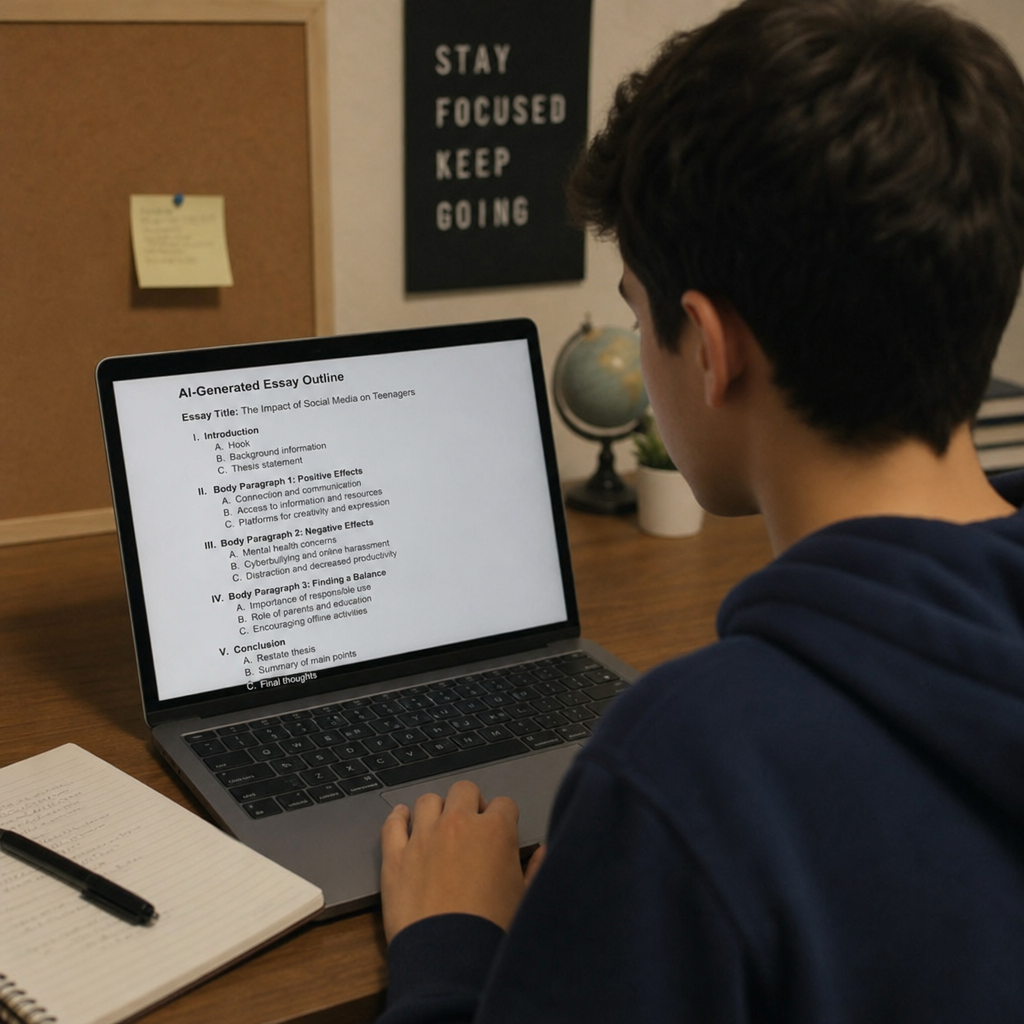
ChatGPT is one of the most flexible options for students, professionals, and writers who want an AI partner through the full essay process. OpenAI describes ChatGPT as a conversational assistant for many tasks, and its writing use cases include feedback, drafting support, and guidance at different stages of writing; Canvas can also provide a workspace for co-writing and editing. (help.openai.com)
For essays, it works best when you give it the assignment prompt, audience, required structure, and your thesis idea. Ask it to challenge your argument, suggest counterpoints, or turn scattered notes into an outline. To keep the work original, write your own analysis first, then use the tool to sharpen organization, transitions, and clarity.
Best for: flexible essay planning, thesis testing, reverse outlining, and revision prompts.
2. Claude is strong for long-form thinking and idea development
Claude is a strong choice when you want an AI for essays that can act like a patient brainstorming partner. Anthropic says Claude can write across formats and styles, summarize text, help users learn new topics, and serve as a debate or brainstorming partner. (support.anthropic.com)
Use Claude when your essay depends on nuance, structure, or multiple viewpoints. It can help you compare thesis options, create a balanced outline, and identify where your reasoning feels thin. It is especially useful for asking, “What would a skeptical reader question here?” before you move into the final draft.
Best for: argument development, counterarguments, summaries, and reflective revision.
3. Grammarly improves clarity, tone, and sentence-level polish
Grammarly is less about generating an entire essay and more about improving the writing you already have. Its support materials describe grammar, spelling, usage, wordiness, style, punctuation, tone, and plagiarism-related suggestions, while its generative AI features can help users create or rewrite text in supported writing surfaces. (support.grammarly.com)
This makes Grammarly helpful near the end of the process, after your ideas are in place. Paste in a draft and review each suggestion instead of accepting everything automatically. For academic work, pay close attention to whether a rewrite changes your meaning, weakens your voice, or makes a claim sound more certain than your evidence supports.
Best for: grammar checks, tone refinement, concise wording, and final proofreading.
4. QuillBot helps with paraphrasing, summarizing, and citation workflows
QuillBot is popular among writers who need help rephrasing sentences, condensing source material, or improving readability. QuillBot’s help center notes that free and premium accounts include different levels of access to writing tools, and its materials describe tools such as advanced writing suggestions, paraphrasing, summarizing, and citation-related workflows. (help.quillbot.com)
Use QuillBot carefully when working with sources. A paraphrase still needs proper citation if the idea comes from someone else. Instead of dropping in AI-rewritten source material, compare the paraphrase against the original, add your own interpretation, and cite the source according to your required style.
Best for: paraphrasing practice, sentence variation, summaries, and citation-aware drafting.
5. Google Gemini fits writers already using Google tools
Gemini can be useful if your writing process already lives in Google’s ecosystem. Google’s Gemini help materials describe the Gemini apps as tools that can assist with tasks, and Gemini for Workspace materials include writing support such as drafting and adjusting style in Google apps. (support.google.com)
For essays, Gemini is practical for turning research notes into outlines, simplifying difficult ideas, or generating revision questions. If you use Google Docs, the main advantage is workflow convenience: you can move between notes, drafts, and edits with fewer copy-and-paste interruptions. As with any ai writing assistant, verify facts and keep your own argument in control.
Best for: Google-based workflows, quick drafting help, and style adjustments.
6. Notion AI organizes essay research and draft materials
Notion AI is valuable for writers who want one place to store prompts, notes, outlines, source summaries, and draft sections. Notion describes its AI as an assistant inside the workspace that can improve writing, generate drafts with AI blocks, and create custom outputs directly on a page. (notion.com)
This is useful before the actual writing begins. Build a page with your assignment requirements, reading notes, thesis options, and source quotes. Then ask Notion AI to group related ideas, suggest a sequence, or turn your notes into a working outline you can refine.
Best for: research organization, planning pages, outlines, and multi-stage essay projects.
7. Smodin focuses specifically on essay drafts and outlines
Smodin positions its AI Essay Writer around turning a prompt into a working outline and rough paragraphs, while also advising users to add assigned quotes, check syllabus rules, and treat output as scaffolding they are responsible for. (smodin.io)
That framing matters. Smodin may be helpful when you understand the assignment but need a starting structure. Enter the page count, required readings, citation expectations, and argument direction, then generate one section at a time. The real work is revising: add evidence, remove generic statements, and make the reasoning sound like you.
Best for: outline-first drafting, rough essay structure, and getting unstuck.
8. Jasper is better for polished content than academic essays
Jasper is often grouped with the best ai writers, but it is more naturally suited to brand, marketing, and professional content than traditional school essays. Jasper’s pricing page describes features such as browser extensions, team workspaces, brand voice settings, product knowledge, and language defaults. (jasper.ai)
For essay writing, Jasper can still help if your goal is a polished article-style draft, personal statement, thought leadership piece, or persuasive long-form content. It may be less ideal for strict academic assignments that require careful source interpretation and instructor-specific formatting. Use it when tone and consistency matter, but keep evidence and citations under human control.
Best for: polished long-form content, persuasive drafts, and consistent voice.
9. Writesonic supports long-form articles and SEO-style writing
Writesonic is another tool that fits professional writing more than classroom essays. Its documentation describes an AI Article Writer for long-form content, with options such as tone customization, source citation through links or footnotes, keyword research, and article workflows. (docs.writesonic.com)
If your “essay” is really a blog post, opinion article, or SEO-focused assignment, Writesonic can help with structure and optimization. It is less necessary for a literary analysis or research paper where your professor expects close reading and original interpretation. Think of it as a content production tool, not a substitute for academic reasoning.
Best for: article-style essays, SEO assignments, outlines, and content workflows.
10. Copy.ai works for persuasive and business-style writing
Copy.ai is designed around go-to-market and marketing workflows, but that can still be useful for persuasive essays, application essays, or business communication assignments. Its materials describe AI chat, brand voice inputs, collaboration, and marketing-focused writing support. (copy.ai)
Use Copy.ai when your essay needs a clear audience, a strong hook, and concise persuasive language. It can help reframe a weak introduction, generate headline-style thesis options, or simplify dense points. For academic submissions, however, avoid over-polished language that sounds more like ad copy than analysis.
Best for: persuasive writing, audience-focused intros, and business essays.
How should you choose between ai writing assistants?
Start with the stage of the essay you are in. If you have no idea what to say, use ChatGPT or Claude to unpack the prompt and map possible arguments. If you have messy notes, use Notion AI or Gemini to organize them. If you already have a draft, Grammarly and QuillBot are better for refinement than full generation.
A simple workflow often works best:
- Understand the assignment: ask AI to restate the prompt and identify required tasks.
- Build your thesis: compare two or three possible arguments.
- Create an outline: organize claims, evidence, and counterarguments.
- Draft in your own words: use AI for support, not replacement.
- Revise carefully: check logic, citations, tone, and originality.
The best ai for writing essays is not always the most powerful tool. It is the one that helps you move from confusion to structure, from rough draft to clearer argument, and from generic wording to a final piece that still reflects your thinking.