ChatGPT Plus vs Business: Key Differences Explained
If you are comparing ChatGPT plans, the practical choice is simple
In this guide
ChatGPT Plus vs Business: Key Differences Explained
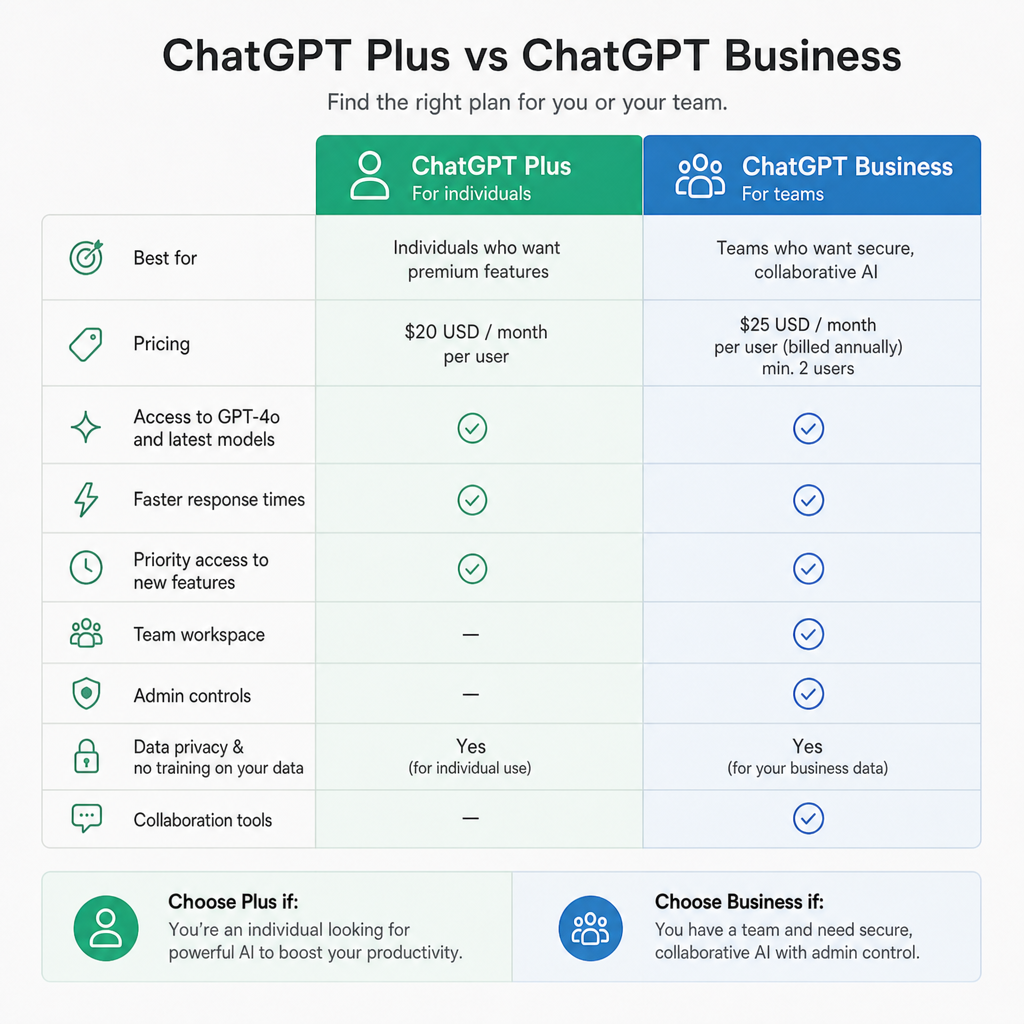
If you are comparing ChatGPT plans, the practical choice is simple: ChatGPT Plus is best for one person using ChatGPT independently, while ChatGPT Business is built for teams that need shared administration, stronger workspace privacy, centralized billing, and seat management. Plus gives an individual user enhanced access for a fixed monthly subscription, while Business turns ChatGPT into a managed workspace for multiple employees. As of October 2026, Business also offers Standard and Premium seat types, so teams can match capacity to each person’s role instead of giving everyone the same level of access. (help.openai.com)
Which plan should you choose?
Choose ChatGPT Plus if you are an individual creator, consultant, student, freelancer, or professional who wants better access than the free plan without managing other users. Choose ChatGPT Business if two or more people need ChatGPT for business work, especially where billing, security, data handling, and workspace administration matter. The core difference is not just price; it is ownership and control. Plus is a personal productivity plan, while Business is an organizational workspace with admin controls, shared billing, usage visibility, and business-data protections by default. (help.openai.com)
At-a-glance comparison
|
Criteria |
ChatGPT Plus |
ChatGPT Business |
|---|---|---|
|
Best fit |
Individual users who manage their own account |
Teams and organizations using ChatGPT across multiple employees |
|
Starting price |
$20/month, billed monthly |
Standard seat: $20/user/month billed annually or $25/user/month billed monthly; Premium seat: $100/user/month billed annually or $125/user/month billed monthly |
|
Minimum users |
One user |
Two paid seats minimum |
|
Workspace management |
Personal account controls |
Centralized billing, administration, roles, access, usage analytics, and spend controls |
|
Data use for training |
Personal-plan data sharing may be enabled by default, with opt-out controls |
Business workspace data is excluded from training by default |
|
Seat flexibility |
One subscription for one user |
Standard and Premium seats can be mixed, assigned, and reassigned |
|
API included? |
No; API usage is billed separately |
No; API usage is billed separately |
|
Best business use case |
Solo work, drafting, research, planning, light analysis |
Company-wide AI adoption, secure collaboration, team workflows, heavier usage management |
Pricing and access details can vary by country, currency, account, rollout, and usage limits, so teams should confirm the checkout page before purchasing. OpenAI’s current help documentation states that Business requires at least two paid seats and supports Standard and Premium seats in the same workspace. (help.openai.com)
ChatGPT Plus is a personal productivity upgrade
ChatGPT Plus is the simpler option. It is designed for one person who wants broader model and tool access than the free plan, priority access during busy periods, faster responses, and expanded features such as voice conversations, image generation, file uploads and analysis, and Deep Research where available. OpenAI notes that model availability and limits can change during rollouts, so the model picker in your account is the most reliable source for what you can use at a given time. (help.openai.com)
The main advantage of Plus is its low-friction setup. You do not need to create a company workspace, assign seats, manage other users, or decide between capacity tiers. For solo professionals, that simplicity is often the point: you can draft emails, summarize documents, brainstorm strategy, analyze files, plan content, or get coding help without introducing company-level administration.
The tradeoff is that Plus is not built around organizational control. If a company has several employees using separate Plus accounts, billing is fragmented, policies are harder to standardize, and usage is not centrally visible. That can be acceptable for a one-person business, but it becomes awkward as soon as AI use becomes part of daily team operations.
ChatGPT Business is a managed workspace for teams
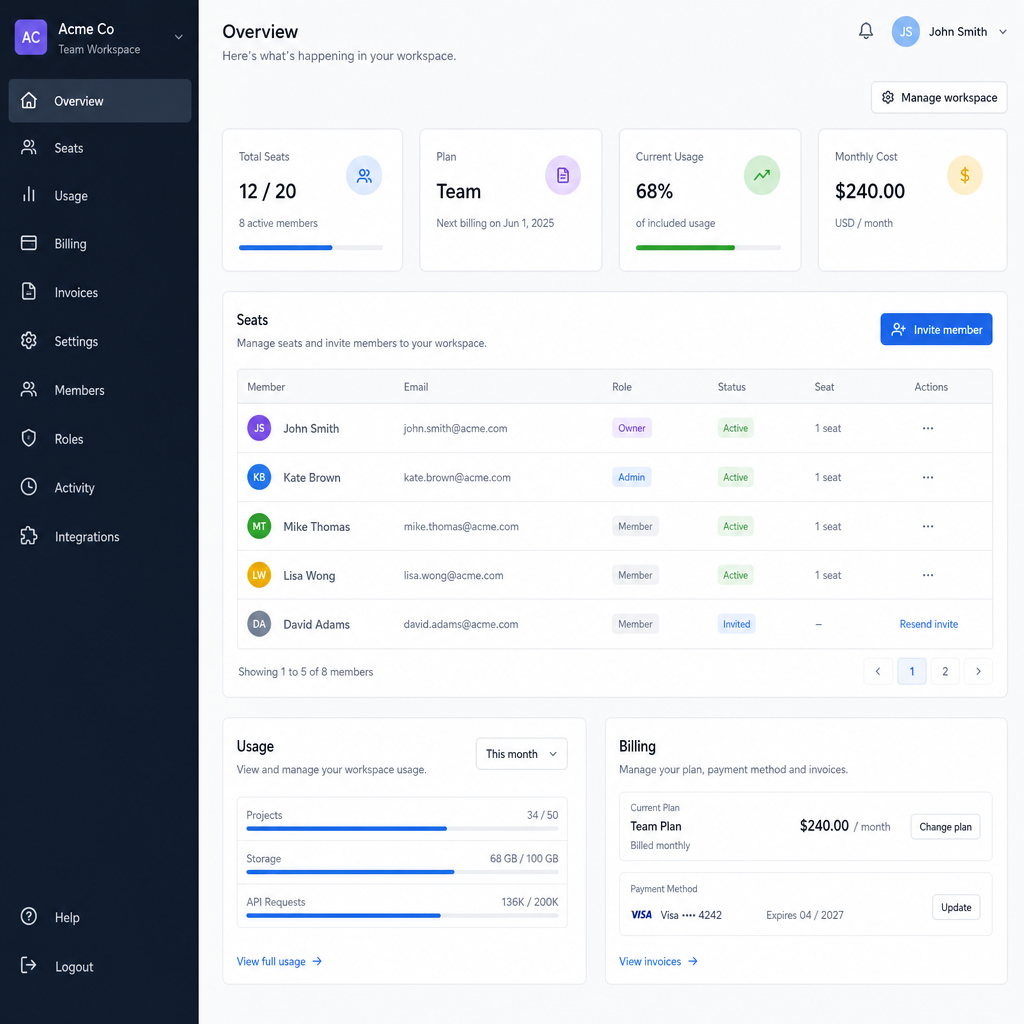
ChatGPT Business is designed for organizations that want a shared ChatGPT environment rather than scattered personal subscriptions. A Business workspace includes centralized billing, admin controls for users, roles and access, usage visibility, spend controls, and access to ChatGPT, ChatGPT Work, and Codex depending on seat type. OpenAI describes it as a self-serve plan for organizations that want a secure collaborative workspace. (help.openai.com)
The most important business benefits are control and consistency. Workspace owners can add paid seat capacity, assign or reassign users, mix Standard and Premium seats, and manage billing from one place. That matters when different roles have different needs: a marketer drafting occasional copy may be fine on a Standard seat, while a developer, analyst, or operations lead doing heavier work may justify Premium access.
Business is also the better fit when company data and employee access need clearer boundaries. OpenAI states that it does not train on ChatGPT Business workspace data by default, and each user has their own chat history unless they choose to share specific content. Admins can see operational information such as usage and credits, but usage analytics do not automatically give every administrator full access to private chat transcripts. (help.openai.com)
Which plan is cheaper to run?
For one person, ChatGPT Plus is usually the lower-cost choice because it is $20/month for a single user. For a team, the answer depends on how many people need access, whether annual billing makes sense, and whether some users need Premium Business seats. Business Standard can match the Plus monthly amount when billed annually, but it requires at least two paid seats and is purchased as part of a managed workspace. (help.openai.com)
Use this decision guide instead of comparing only the headline price:
- One user, no admin needs: Plus is the cleanest fit.
- Two or more users with company billing: Business is usually more practical, even if the monthly cost looks similar.
- Mixed usage levels: Business is stronger because Standard and Premium seats can be combined.
- Heavy users who hit limits often: Business Premium may be worth evaluating because it provides higher usage than Standard and no 5-hour usage limit.
- API needs: Neither Plus nor Business includes API usage; API billing is separate, so do not choose a ChatGPT plan expecting API costs to be bundled in. (help.openai.com)
The key pricing mistake is treating Plus as “the cheap business plan.” It may be cheaper for an individual, but once multiple employees are involved, the hidden cost is usually operational: separate receipts, inconsistent settings, limited oversight, and no shared workspace structure.
Which plan is better for privacy and company control?
For organization-wide use, ChatGPT Business is the stronger option for privacy posture and administrative control. Business data is excluded from model training by default, and the workspace is governed by business-oriented terms and privacy commitments. Personal services such as ChatGPT Plus may use content to improve models depending on the user’s settings, although eligible personal users can opt out through data controls. (help.openai.com)
This distinction matters if employees handle client documents, internal strategy, financial information, code, research, or other sensitive work. Business does not eliminate the need for internal AI policies, but it gives the organization a better foundation: managed access, centralized administration, and clearer separation between personal and company use.
A practical policy might look like this:
- Use Business for company documents, client work, team workflows, and role-based access.
- Reserve Plus for personal productivity where the user owns the account and data decisions.
- Define what employees can upload, what requires review, and which tools or connectors are approved.
- Check workspace settings regularly as OpenAI changes features, limits, and integrations over time.
Which plan supports a growing team better?
ChatGPT Business scales better for teams because it is structured around seats, admins, and workspace-level controls. OpenAI’s Business pricing page describes the plan as suitable for teams of 2–200 employees, with Standard and Premium seat options, centralized billing and administration, SAML, SSO, MFA, usage analytics, spend controls, and workspace agents for customized workflows. (openai.com)
That does not mean every small company must upgrade immediately. A founder using ChatGPT alone may be perfectly served by Plus. But as soon as more employees need access, Business reduces friction: new users can be added, seat types can be adjusted, and spend can be reviewed from one workspace instead of chasing separate subscriptions.
Business is especially useful for repeatable workflows. Teams can use ChatGPT for business tasks such as drafting internal documentation, analyzing files, preparing sales materials, reviewing code, planning campaigns, summarizing research, and building customized workflows. The value is not just individual speed; it is making AI use easier to govern across the organization.
The main drawbacks of each plan
Neither option is universally better. The right choice depends on whether you are buying for a person or an organization.
|
Plan |
Main strengths |
Main limitations |
|---|---|---|
|
ChatGPT Plus |
Simple setup, individual control, predictable personal subscription, strong everyday productivity features |
Not designed for centralized company administration, shared billing, or team-level governance |
|
ChatGPT Business |
Centralized admin, business-data protections by default, seat management, usage visibility, Standard and Premium capacity options |
Requires at least two paid seats; costs and setup are more involved than a personal Plus account |
If your team is informally reimbursing individual Plus subscriptions, that is usually a sign to evaluate Business. If you are the only user and do not need workspace controls, Business may add complexity you do not need.
Recommendation
For most individual users, ChatGPT Plus is the better starting point: it is affordable, easy to activate, and includes the core ChatGPT Plus features people want for daily productivity. For organizations, ChatGPT Business is the better long-term choice because it aligns ChatGPT use with company ownership, billing, privacy expectations, and team management.
The simplest rule is this: buy Plus for personal output, buy Business for organizational control. If your AI use involves multiple employees, company data, client work, or a need to understand usage across a team, ChatGPT Business is the more appropriate plan. If your needs are independent, flexible, and personal, Plus gives you the upgrade without the administrative layer.